
How to Livestream a Columbus Wedding Ceremony With Clear Audio
By Christopher “DJ iShine” Summers · iShine Music Production
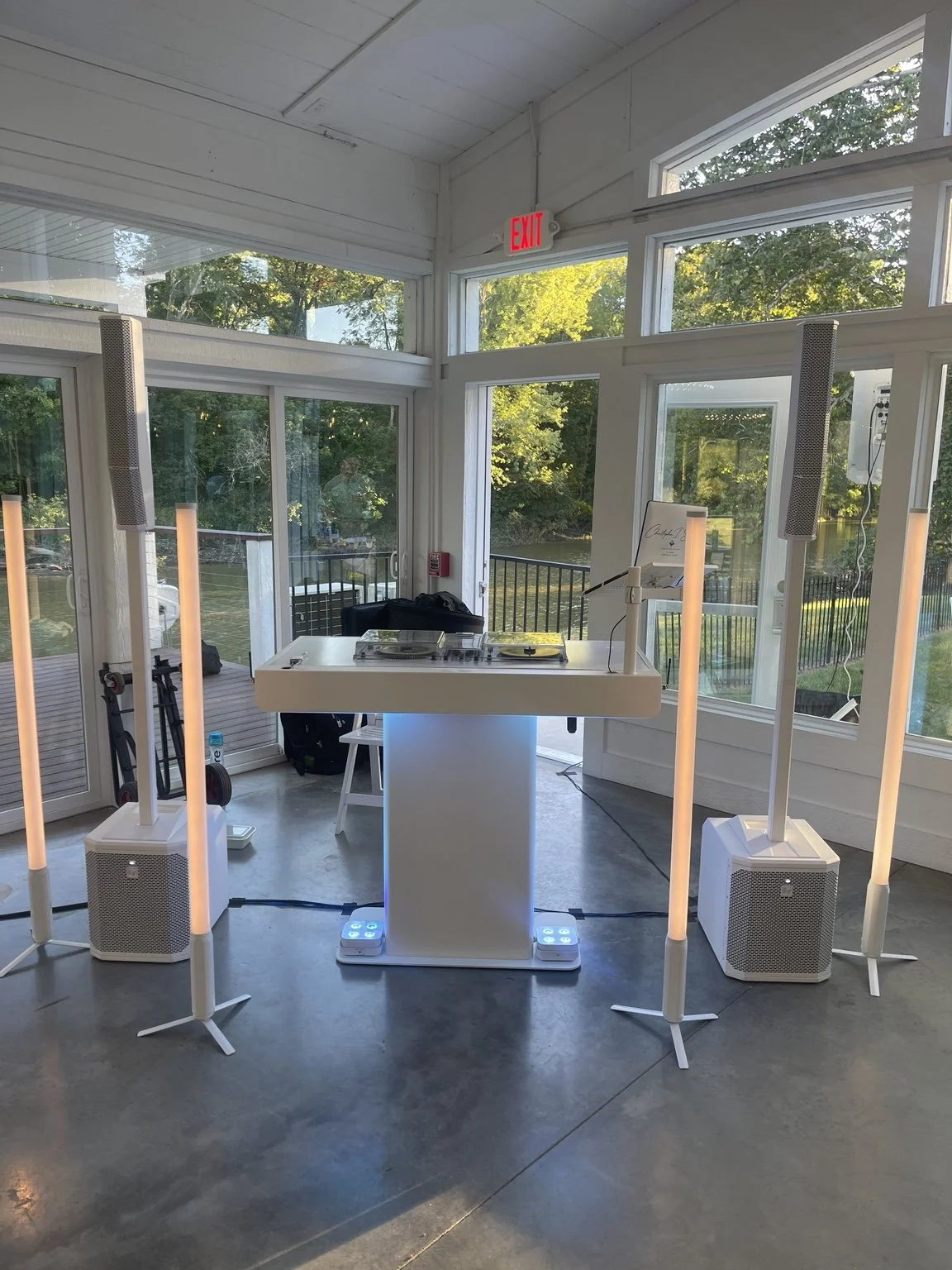
Family can watch your Columbus wedding ceremony from home when someone is responsible for the stream and checks that they can hear the vows. Start by naming the producer. Then ask the venue, DJ, and streaming provider to agree on which voices will reach remote guests, how the signal gets there, and when the full setup can be tested.
The sound guests hear at the ceremony and the audio remote guests hear are two separate outputs to plan. A loudspeaker in the room does not tell you whether the livestream receives a usable signal. A camera operator, DJ, and remote host may each own a different part of the process.
Choose what remote guests will see and hear
Decide which parts you want to share live. You might include the entrance, officiant, vows, exchange of rings, and recessional. If you want only the spoken ceremony included, tell the streaming provider where the stream should begin and end. Confirm who approves what may be broadcast, including any music or video sources. Ask the relevant providers about permissions and the planned platform.
Tell the operator whether the ceremony will be recorded separately. A private livestream, a recording you keep, and a clip posted later can have different requirements. Agree on the audience, how they receive access, and whether anything should remain private. Share the same instruction with the people handling the room and video. Plan how wedding footage may be captured and shared.
Decide who operates the stream
Identify the person who can start and stop the broadcast, check its picture and sound, and respond if the connection changes. Ask whether they also operate a camera or if someone else manages that. If the venue provides support, confirm when the technician will be present. If a family member is willing to help, agree on the limited work and give them a tested plan.
Remote guests may need help finding the correct link, joining, or hearing the livestream. Choose someone to handle those messages so the ceremony operator can focus on the event. Ask the host how they will communicate an updated start time if people are waiting from different places. Put the contact information in the guest instructions you approve.
Identify every voice that matters
List the officiant, couple, readers, and any other speakers. Ask which microphones they will use and who moves or checks them. If someone speaks softly, has a different position, or shares a mic, plan for that with the audio provider. The stream producer needs to know what sound it will receive from the DJ and what it will capture separately.
Give the DJ and producer a chance to review the arrangement directly. Ask which audio feed is available and what equipment or connections they need. The producer can confirm how they receive and monitor it. Keep the guest-facing sound in the hands of the person responsible for the ceremony system. Coordinate wedding DJ audio with a video provider.
Check connectivity at the actual location
Ask the venue which connection is available at the ceremony position and who can approve use. A network that works in a nearby office may perform differently where the ceremony is held. Let the streaming provider check the actual device and connection and explain what they need. If the ceremony is outdoors, include the approved backup location in the review.
If your provider uses Zoom, its test meeting can help check device and internet settings. Still arrange a test of your planned camera, microphone, and venue connection together. A remote listener can join the test on a separate device and tell the team what they see and hear. Join Zoom’s device and connection test.
Test all the way to a remote listener
Walk through a short sample of the ceremony. Have someone speak from each planned position and check the music and any transition you intend to share. Ask the remote listener to report whether the voices are understandable and what happens when the next microphone is used. Let the audio and streaming operators adjust the arrangement they control.
Check what the remote listener sees while the couple enters, where the shot will be during readings, and whether guests or decor will block the view. Confirm who starts the livestream and who signals that the ceremony can begin. For a difficult aisle or several entrances, review how the planner communicates with the sound and camera team. Plan the ceremony start and music cues.
Give guests straightforward instructions
Send the link and planned local start time to the people invited to watch. Tell them where to ask for help and whether the stream will open early. If you know guests are in other time zones, provide a clear time reference. Ask the host to explain any access steps before the ceremony day.
Decide what remote guests will see while they wait. You might have a simple message with the planned start time or a welcome from the host. Confirm who can send a private update if the ceremony is delayed. Give the couple and planner a way to check whether the producer is ready without pausing the ceremony for guest support.
Plan any interaction with remote guests
Decide if family will watch quietly, greet the couple before the ceremony, or participate in one approved moment. Ask the producer how they will manage remote microphones and whether anyone in the room should hear them. If a remote participant will speak, test their connection and room playback in advance and give the planner a cue.
For a viewing-only ceremony, let the host explain how guests can send a message separately. That helps the producer focus on the vows and keeps the ceremony audio predictable. Give the host the couple’s instructions for any recording or sharing that follows.
Choose what happens if the stream drops
Ask the producer what fallback can be agreed and tested. If the stream becomes unavailable, the host can notify remote guests. If a private recording is approved and included, the operator can continue it and the couple can decide later how to share it. That plan should be clear before guests depend on the stream.
The wedding team also needs to know whether a streaming problem would change the ceremony schedule. Decide who may hold a start and how long you would be comfortable waiting. A brief adjustment may work before the ceremony begins. Once it is underway, the producer and planner can follow the agreed approach. Share one wedding timeline for sound, video, and planning.
A hypothetical Central Ohio ceremony
Imagine that a couple’s relatives are watching from another state. The venue confirms the streaming position and connection. The DJ and producer test the officiant’s and readers’ microphones. A remote listener checks the sample while the planner verifies where the couple will stand. The producer knows who sends updates and how the approved recording will be handled.
On the wedding day, the planner confirms readiness with the people operating sound and video. The DJ follows the usual ceremony cues and the producer runs the stream. If the connection changes, the remote host uses the approved instructions while the ceremony team follows its own plan.
I’m Christopher “DJ iShine” Summers. If you are arranging a livestream for a Columbus wedding, tell me which moments remote guests should hear and who will operate the stream. We can discuss ceremony sound, microphone cues, and coordination with the video provider. Share your ceremony sound and event details.