
Where Should an Audio Guest Book Go at Your Columbus Wedding?
By Christopher “DJ iShine” Summers · iShine Music Production
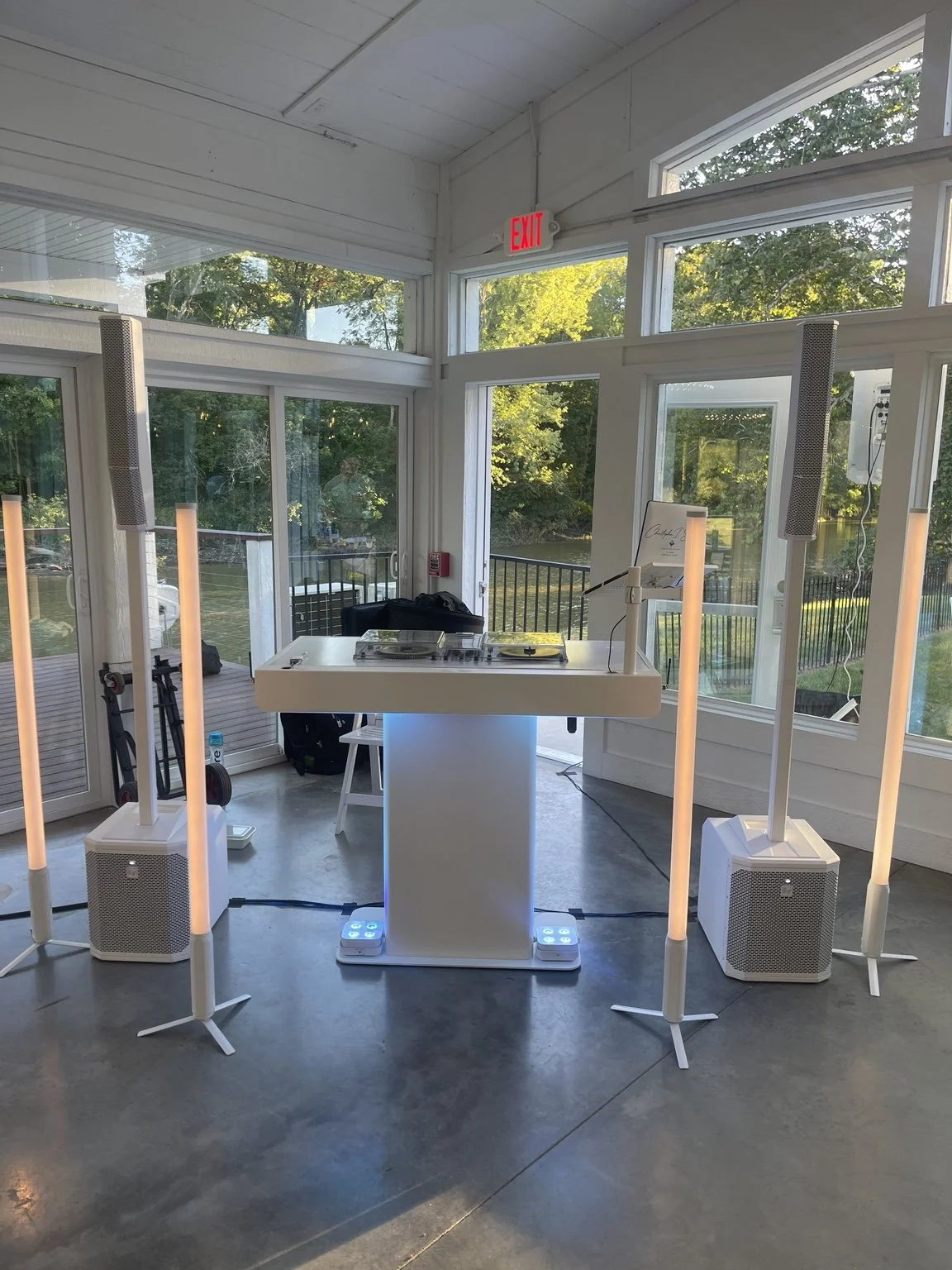
An audio guest book works best where guests can find it and record a message without raising their voices over the reception. Look for a spot just off the main flow, confirm that people can use it comfortably, and test the actual recording with your Columbus wedding DJ playing at the level you expect. The right space is easy to find and quiet enough to hear the person speaking.
The phone or recorder generally belongs to a separate service from the DJ’s sound system. Ask who delivers it, who checks it, and who returns it or receives the saved messages. The DJ can help guests find the station and coordinate the timing with the planner, while the device owner handles recording and delivery according to your arrangement.
Start with a map of how people move
Look at the reception floor plan as a guest arriving, sitting down, and getting ready to leave. A station near a welcome table may be easy to find during cocktails. A quieter corner near a path guests already use may work later. Avoid a placement where people have to cross the dance floor, interrupt meal service, or block an exit while leaving a message.
Ask the planner to mark the exact spot and reserve room for anyone waiting nearby. Check what else will be there. A photo booth, coats, or a buffet line can change the character of an otherwise quiet corner. Have the venue and device provider review the proposed table or stand. Plan your reception floor and DJ placement.
Listen from the proposed spot during a soundcheck
Ask your DJ and planner to check how the location sounds when music is playing. A corner can seem quiet before dinner and pick up the speakers once the party begins. If possible, record a short test message on the actual device and play it back with the operator. Make sure a person speaking at a comfortable level can be understood.
If the recording picks up too much music or conversation, ask whether another position or a different open period would help. Keeping the station open during cocktails or the meal may suit your plan if a nearby dance set makes messages difficult later. Let the room operator handle sound level and placement. Plan comfortable wedding reception sound.
Give people instructions they can follow in a few seconds
Ask the device provider how guests start and finish a recording. Some devices may use a familiar handset gesture. Others may need a button, an on-screen prompt, or an attendant. Write the steps using the actual equipment instructions and place them where guests can see them. Test the wording with someone who has not used the device.
You can include a prompt for people who are unsure what to say. “Tell us a favorite memory, leave advice, or just say hello” gives guests options. Share whether the couple will receive messages privately and any other information guests should have before participating. A friendly invitation is enough. Give people room to choose whether they want to speak.
Coordinate the DJ announcement with guest timing
Tell the MC where the station is, when it opens, and how long it will be available. Give them a short approved announcement. You might want the host to mention it after the welcome or before dancing starts. Choose the timing with the planner so people can use it without leaving a speech or first dance.
If guests arrive in waves, place a clear sign along an approved route and ask the coordinator to point people toward it. One or two announcements may be enough. Ask the DJ what they can say without interrupting the music too often. Keep wedding MC announcements clear and concise.
Consider room access, comfort, and privacy
Ask the planner and provider whether guests can reach and use the device from a seated position if needed. Check table height, any handset cord or other equipment, and whether there is adequate light to read the instructions. Give people enough room to speak without feeling watched by a line.
Decide whether you would also like a written guest book or another way for people to leave a note. A person may prefer a different medium or want to participate without using the device. Make the options easy to find. Give the people responsible for the setup the actual instructions and how to help guests privately if a question comes up.

Confirm recording, storage, and delivery details
Ask whether the recording includes an opening prompt and how the provider checks that the prompt and the message are both audible. If the couple recorded a welcome, test it before the event and confirm that it plays as intended. Make sure the operator knows how to identify a successful test recording without altering saved messages.
Ask who checks the recording before the first use, who can access it during the wedding, and how the final files reach the couple. If you are renting, confirm who looks after the equipment, what happens if it stops working, and when it must be returned. Ask what the provider can do if an item needs replacement.
Find out how messages are stored, who can access them, and whether any material may be used publicly. If you want all recordings to remain private, confirm that agreement in writing with the vendor. You can choose later whether to share particular messages with the people who recorded them, according to the permissions and plan you agreed on. Set privacy expectations with your wedding vendors.
Give the planner an owner for opening and closing
Decide who puts out the sign, verifies the device, and answers guest questions. The DJ may make the announcement and continue performing. A coordinator or designated person can check the station after guests have been using it. Put a named contact beside each task so a question about the device has a destination.
Before teardown, confirm who collects the equipment and whether it needs to be delivered to a vendor, stored with other items, or taken by the couple. If a pickup occurs while guests are still in the room, plan how to close the station. Give the MC an approved final reminder if you want one. Keep all wedding vendors on one timeline.
A hypothetical Columbus reception example
Imagine a couple rents a phone-style audio guest book and puts it on a table just outside the main room. The planner leaves a clear approach and asks the DJ to mention it after the welcome. The rental company runs a test with the couple’s playlist audible in the room and checks the saved message.
Guests follow a short sign and stop by when they have time. As dancing begins, the planner checks whether the messages still sound clear. If the area gets too loud, the couple has agreed to close the station sooner or move it with the provider’s approval. The planner handles pickup, and the company delivers the recordings through the arrangement the couple approved.
I’m Christopher “DJ iShine” Summers. If you’re planning an audio guest book for a Columbus wedding, share its proposed location, hours, and how you want to introduce it. We can coordinate music, sound, and announcements with the planner and the people responsible for the device. Discuss the flow of your reception.