
How to Make Wedding Vows and Toasts Accessible in Columbus
By Christopher “DJ iShine” Summers · iShine Music Production
Guests should be able to follow the words they came to celebrate. If someone is deaf or hard of hearing, ask privately what would help them access the vows and toasts. Then plan the right support with the venue, DJ, planner, and any qualified access provider involved.
Start with how the guest prefers to receive information. They may want an interpreter, live captions, an assistive listening option, better sightlines, or a combination. The person’s preferences matter more than assumptions based on how someone communicates in another setting. A few planning conversations can help the team make the chosen approach work in each part of your Columbus wedding.
Ask what would help at each location
Share the outline of the event and ask the guest how they would most comfortably follow the ceremony, dinner announcements, and speeches. Ask whether they want to be contacted directly by the planner about logistics. Keep the conversation focused on what they would use, such as a seat with a clear view or a way to see captions. Personal medical details are unnecessary for most planning conversations.
Give guests a discreet way to ask for support or give feedback. If their preference changes with the room, write that down. An outdoor ceremony with an aisle and a reception with a speaking area can need separate arrangements. Ask which activities they want to participate in and make sure they can reach the appropriate seating or viewing locations.
Match the support to how the guest communicates
An interpreter can support guests who use the relevant signed language. Discuss the language and type of event with a qualified provider. The planner can share the timeline and agree on where the interpreter will stand. For speech-to-text, ask about live captioning and the display the guest would use.
The National Association of the Deaf describes Communication Access Realtime Translation, or CART, as live captioning that can be provided on site or remotely. Captioning is one option to discuss with the people who would use it. A vendor with experience in live events can tell you how they receive sound and deliver readable text. National Association of the Deaf guide to captioning.
Ask about assistive listening and room sound
A guest who prefers an assistive listening option may already know what works for them. Ask the venue what equipment it provides and who can explain how it connects with the audio for your event. Let the guest or access provider confirm whether the actual system is suitable. Clarify who supplies and tests any devices and who will give them to guests.
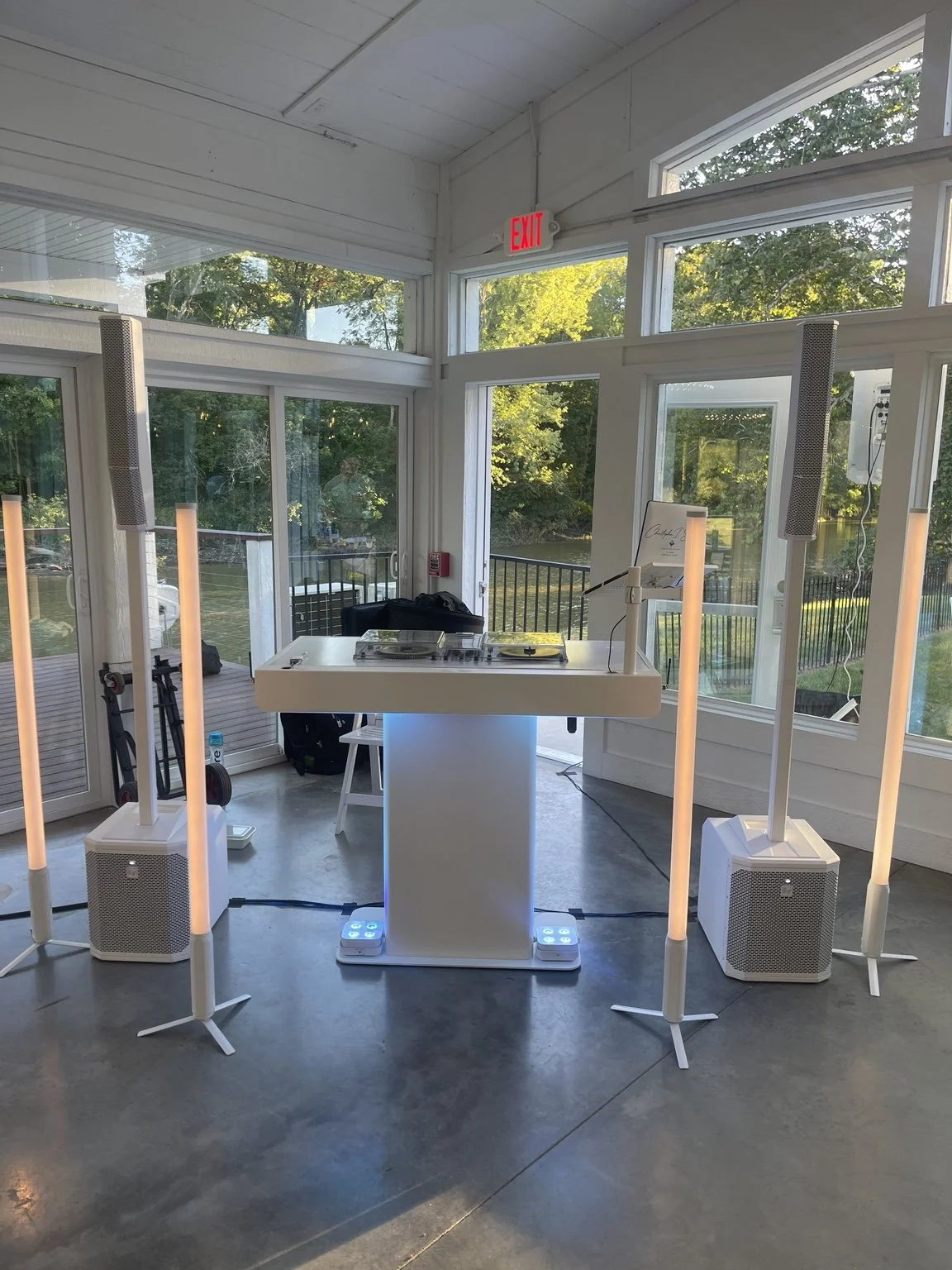
Clear microphones still matter for the spoken parts of the wedding and for any access provider using the sound signal. Ask every speaker to use the agreed microphone and have the DJ test it at the planned speaking position. If two people share vows or pass the microphone, include both in the check. Plan ceremony and toast sound for a Columbus wedding.
Plan sightlines, lighting, and seating
If guests will watch an interpreter, speaker, or caption display, confirm they can see it from the planned seats. A floral arrangement or a group standing for the processional may block a view that looks open during setup. Ask the planner and access provider to check the arrangement from the guest’s perspective.
In a reception, decide where toasts will be delivered and how guests can face the speaker. Readable captions need a display that suits the seating distance and room lighting. Discuss how the guest moves between locations and how any seat reservation will be handled. You can identify a helpful seat without putting someone's name on a public accessibility notice. Review sound and sightlines on your wedding floor plan.
Give the access team the material it needs
Ask the provider what advance information helps. A run of show, speaker names, pronunciation notes, and terminology can make coordination easier. If a couple wants to keep vows or a toast private beforehand, talk with the provider about how to prepare while respecting that boundary. Share files through the method agreed with the couple and the vendor who actually needs them.
For a prerecorded video, provide an accurately captioned version if appropriate and test how the captions look in the room. A live speech may still need a separate plan. If the spoken order changes, the planner should tell the access provider and the DJ before introducing the next person.
Test the whole communication path
If a guest will borrow a device, let them know where to pick it up, whom to ask for help, and where to return it. Confirm that the same handoff is available at the reception if it takes place in a different room. Those small details can make the support straightforward to use.
Arrange time to check the actual sound, captions or interpretation setup, and sightlines together. If a specialist needs an audio feed, have them confirm with the DJ or venue operator what they will receive. The team should test the microphone that will be used for vows or toasts and confirm that the associated display or service receives a usable signal.
A test can include a couple of sample sentences, a handoff between microphones, and a short cue from the planner. That shows how the arrangement works when the speaker changes. If an outdoor reception has an indoor backup, discuss what changes for access if the wedding moves. Plan the wedding’s backup location and vendor cues.
Put someone in charge of changes
Choose a staff contact who can help if a guest cannot see the interpreter or if captions are missing. Give that contact a practical way to reach the technical team. The planner can hold the start of a featured moment until the access provider and DJ confirm they are ready.
If a planned service becomes unavailable, discuss alternatives with the people it affects before continuing important spoken moments. An agreed fallback might include moving a speaking position, providing approved written material, or delaying the toast briefly. Different choices work for different guests. Ask what would help and plan around that answer.
A hypothetical Columbus wedding access plan
Imagine a couple with a ceremony outdoors and speeches in a reception room. A guest says live captions would help for both. The planner checks with a captioning provider about sound and display needs. The venue and DJ confirm the arrangements in each location, including the position of the ceremony microphone and the feed for the speeches.
Before guests arrive, the team tests both locations, and the planner checks the caption display from the planned seat. The guest has a direct way to contact the planner if they have a question. The DJ is ready for the ordinary music and hosting cues and knows when the access provider should be ready before speech begins.
What to confirm together
- Which events and locations need support?
- What does the guest prefer, and who provides it?
- Where will guests sit or stand to use it?
- Who supplies the microphones, audio feed, equipment, or display?
- What material and setup time does the access provider need?
- Who confirms readiness before vows or toasts?
- How can a guest or vendor report a concern during the event?
I’m Christopher “DJ iShine” Summers. I plan music, microphones, and MC cues with Columbus couples and their event teams. If you are arranging communication access, tell me about the event flow and introduce the vendor contact who is coordinating it. We can discuss the audio and timing each person needs. Talk through your wedding sound plan.